


Google Business Profiles are an essential component of your Local SEO strategy. Google Business Listings show up in search engine result pages (SERPs), often above optimized websites. This is particularly true for searches with navigational or transactional search intent.
The importance of Google Business listings cannot be overstated. According to recent studies:
- 46% of all Google searches are actively looking for a local business.
- 76% of people who conduct a local search on their smartphone visit a physical store within 24 hours.
If you operate a small business with a physical location, you want to make sure you’re capturing these local customers with transactional search intent!
Another critical aspect of Google Business Listings is that many consumers consider them to be a source of truth. This assumption means that customers are not likely to confirm the information provided in a search engine result, and incorrect information (such as erroneous business hours or an old address) can lead to poor customer experience before they even walk into your business.
How to Claim Your Google Business Profile
- Go to https://www.google.com/business/ and walk through the process of verifying your business profile. You can create a new one or claim an existing profile if one was already created for your business.
- If you have multiple locations, you will need to create separate business listings for each location – but you can have them all managed in one Google Business Profile.
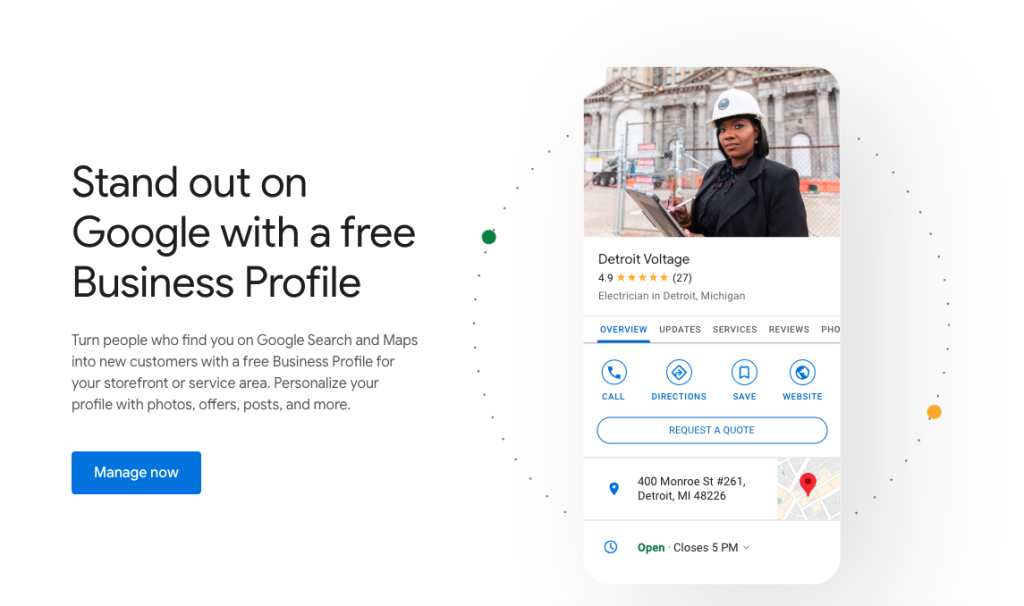
How to Optimize Your Google Business Listing
Claiming your listing is just the first step. The most important thing you can do is optimize it in every opportunity.
- Fill out every relevant field in your Google Business profile. Make sure you include keywords and your services in the description section.
- Strategically select your business category. This is a key indicator for Google as to what your business does and what services you provide. Add relevant and applicable secondary categories if needed, but don’t go overboard. Categories should directly tie to services offered.
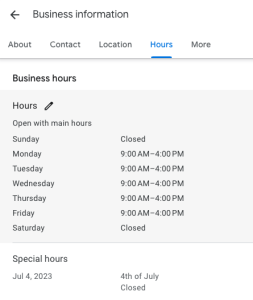 Add your business hours, even if they are the same every day. Make sure you include any special hours where you may be open later or close early. Ensure your holiday hours are accurate and updated annually. This is extremely important! Customers will assume Google is correct – make sure that it is!
- Add products and services in these sections. This is an often-overlooked opportunity to showcase your offerings and also gives Google more information about your business.
- Add photos! Make sure you add a logo and a cover photo that showcases your business. Upload additional images that demonstrate your space, your products, or what customers can expect. Google will prioritize listings with photos, particularly when fresh images are added regularly.
- Request online reviews. A recent survey found that 90% of customers trust online reviews as much as personal recommendations. Online reviews are front and center of your Google Business listings so it’s important to keep review requesting in mind when talking with customers and clients.
- Post updates frequently. If you’re already posting updates to social media, post them to your Google Business profile at the same time. Social Pilot is an inexpensive social media scheduler that allows you to cross post your Facebook updates to your Google Business Listing without any extra steps. This provides fresh, keyword-rich content for Google to index and learn more about your business.
Finally, make sure your business listing is up to date. Ensure you are checking your hours of operation regularly and adding photos and updates. Google indexes all this information and helps to provide customers with the most accurate information about your business.
Is Google the Only Business Listing I need?
Actually, no. There are dozens of other business listing sites across the internet that create profiles for your business based on a variety of information sources. Sadly, that information is often incorrect!
Once you have your Google Business Listing optimized, it’s a good idea to leverage a Business Listing Service to push your accurate, optimized information out to these other core listing platforms. And, in the new world of AI Overviews and wide adoption of Large Langauge Models like ChatGPT, ensuring your profile is consistent across the top business listing sites has never been more important. AI and LLMs utilize citations on these other listing services as qualifying sources for their generated responses to user queries.
If you want to be visible in AI Overviews and ChatGPT responses, optimized business listings are a key first step! You can use this tool to check how well your business listings show up across the internet:
If you need help setting up your Google Business Profile or business listings on other platforms, contact us for help. Not only can we help you maximize your Google Business opportunities, but we can also ensure your business listing profile is consistently listed across the internet on all core listing platforms.


